Higgsfield.AI is a next-generation AI-powered video and image generation platform built for creators, storytellers, and visual professionals. With Higgsfield, users can transform still images into cinematic video sequences, design stylized visuals, and apply advanced camera motion, all in minutes and without the need for complex video editing software. How to use for new users Let’s get started step by step.
How to create an account
Go to higgsfield.ai and click sign up (top-right).
You’ll see options: Continue with google / apple / microsoft or sign in with email.
Note: By continuing, you acknowledge the privacy policy, terms of use, and confirm you’re 18+.
Google / apple / microsoft (fastest)
Click your provider.
Choose your account → approve the prompts.
You’ll be redirected back to Higgsfield and your account will be created.
Sign in with email
Click sign in with email → choose create account (or sign up).
Enter your email address.
Check your inbox for a verification code or link (look in spam/junk too).
Verify → set a strong password → add your display name (if asked).
Higgsfield.AI features a sleek dark interface with bright neon-green highlights, creating a cinematic, futuristic aesthetic. The dark theme enhances focus on media previews — ideal for a creative AI platform centered on video and image generation.
1. Simple navigation
The top navigation bar makes it easy to explore different creative tools.
Explore discover community projects, presets, and trending AI videos.
Image, video, edit, direct access to image generation, video creation, and editing tools.
Sora trends (new) Latest presets powered by Sora 2 for cinematic creativity.
Assist, apps, community, tools for guidance, integrations, and collaboration.
Pricing & discord quick access to subscription details and the user community.
Each menu link responds quickly, offering a seamless browsing experience.
2. Visual first layout
The homepage is dominated by large, preview-rich tiles showcasing examples from “Sora 2” and “WAN 2.5” models. These vibrant thumbnails help users instantly understand what each AI model can do — from cinematic storytelling to realistic image animation.
3. Community & inspiration
Scrolling down reveals the WAN 2.5 community section, where users showcase their generated content. Each post displays:
User handle
Like counts
Rich video and image previews
This layout gives Higgsfield a social-media-like experience encouraging exploration, learning, and engagement.
4. Smooth interactivity
Hover effects and fast transitions enhance responsiveness.
Clicking on any tile opens detailed project previews or templates.
Integrated features like sora 2 unlimited, WAN 2.5, and kling 2.1 are accessible with minimal loading times.
5. Accessibility & usability
The clean typography and high-contrast color scheme support readability.
The interface works well on desktop browsers, and mobile optimization appears smooth and adaptive.
Users can log in or sign up directly from the header for instant access.
6. Overall UX impression
Higgsfield.AI delivers a creator-friendly, high-performance, and visually immersive experience. Its interface feels like a blend of an AI studio and a social creative hub, designed to make AI video generation both powerful and enjoyable for professionals and beginners alike.
Higgsfield.AI user experience & interface
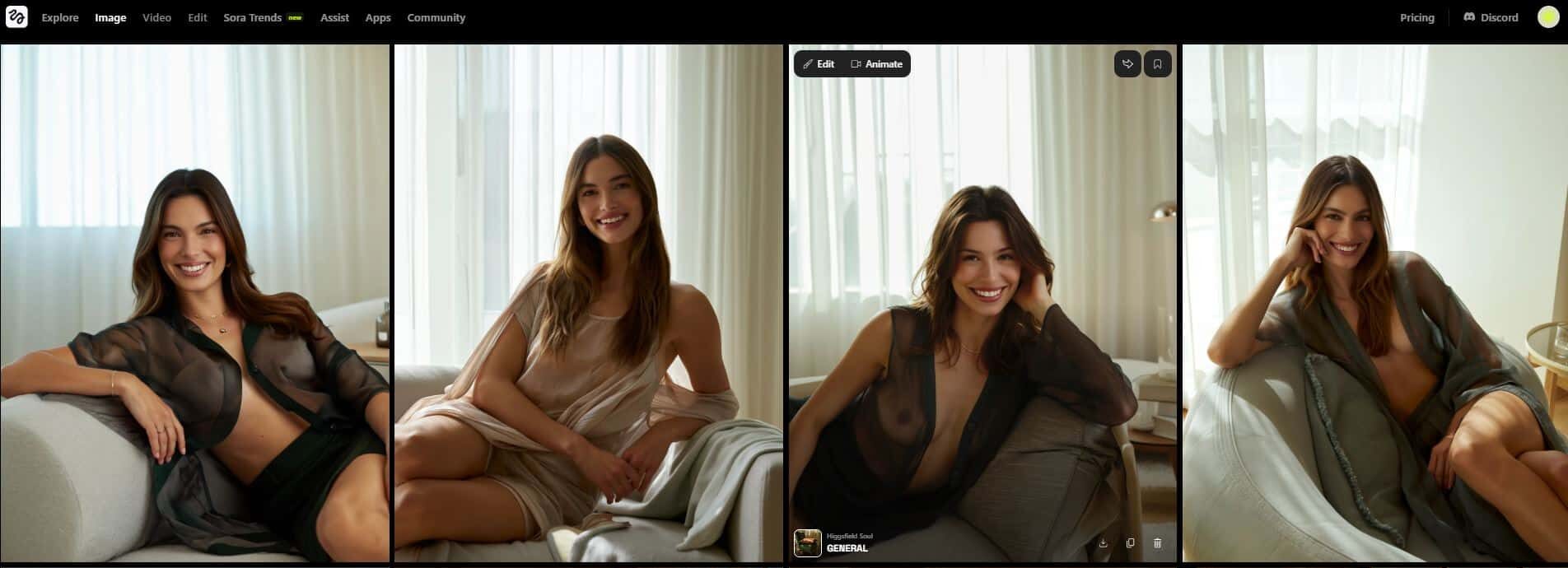
Higgsfield soul
Higgsfield soul is a creative collection within Higgsfield.AI that captures authentic, cinematic-style imagery infused with emotion and realism. It blends human-like expression, natural lighting, and dynamic composition to produce lifelike visuals that feel spontaneous yet artistic. Perfect for storytelling, fashion, and lifestyle content, Higgsfield Soul brings AI-generated visuals closer than ever to genuine human photography.
Higgsfield soul
Using the image generator
Higgsfield.AI Image Generator is a next-generation creative platform that lets you create cinematic-quality AI images using advanced artificial intelligence. Higgsfield.AI Image Generator is an all-in-one creative suite for creating, editing, and enhancing AI images. It can create anything from character AI designs to professional images. And to image editing, it provides a full suite of tools to create high-quality, aesthetic visuals in seconds.
Higgsfield.AI using any of the tools available on , you can create aesthetic images like character AI NSFW on any prompt. All of our tools are very modern and creative.
Higgsfield.AI features image generator
Create image
The create image tool on Higgsfield.AI is the platform’s core feature for generating high-quality, AI-powered visuals in just a few seconds. It allows users to describe any concept or scene through a simple text prompt or by uploading a reference image. Powered by advanced models like Higgsfield Soul, it produces ultra-realistic and aesthetically rich results suited for fashion, portraits, product visuals, or creative art. Users can customize key settings such as aspect ratio, detail level, and style presets to match their creative goals. Once the settings are applied, clicking “Generate” instantly turns ideas into visually stunning images ready for professional or personal use.
Higgsfield.AI create image tool
Create image example
Create image example
Soul id character
The soul id character tool on Higgsfield.AI allows users to create a personalized character AI based on their own photos. By uploading a few images, the platform’s AI analyzes your facial features and style to generate a unique digital identity, or “Soul ID.” Once created, this can be used to produce infinite selfies and portraits in different environments, outfits, and artistic styles while keeping your appearance consistent across every image. It’s ideal for content creators, influencers, and artists who want to explore creative visuals or maintain a cohesive personal brand without repeatedly posing or editing photos.
Higgsfield.AI soul id character tool
Soul id character image example
Soul id character image example
Draw to edit
The draw to edit tool on Higgsfield.AI transforms simple sketches or outlines into complete, realistic images instantly no prompt writing required. It’s designed for artists, designers, and creatives who prefer visual input over text. Users can either upload their own sketches or start from a blank canvas, then let the AI interpret and enhance the drawing into a fully rendered picture. Whether you’re sketching a fashion design, character concept, or scene idea, the tool automatically adds textures, lighting, and details to bring your vision to life in seconds.
Higgsfield.AI draw to edit tool
Draw to edit image example
Draw to edit image example
Fashion factory
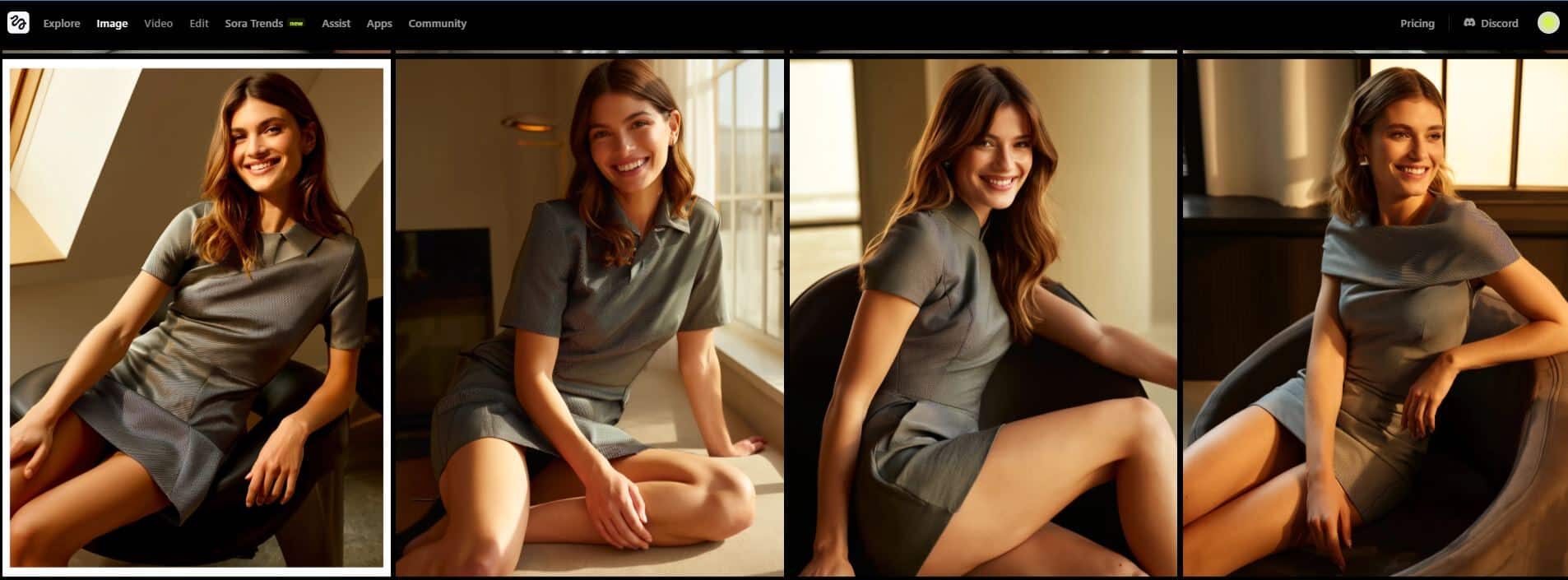
The fashion factory tool on Higgsfield.AI enables users to effortlessly create branded, professional-style photoshoots using AI. It combines your product or clothing design with a consistent digital model or character, ensuring each visual maintains a cohesive and stylish aesthetic. By selecting a template, users can produce editorial-quality images that look like they came from a real fashion shoot-perfect for online stores, lookbooks, or social media campaigns. This tool helps designers, marketers, and brands save time while maintaining visual consistency and creativity across all their fashion visuals.
Higgsfield.AI fashion factory tool
Fashion factory image example
Fashion factory image example
Edit image
The edit image (Soul Inpaint) tool on Higgsfield.AI lets users easily modify, enhance, or restyle parts of an image with precision. Using an intuitive brush-based masking system, you can select specific areas of an image-such as clothing, background, or accessories-and instantly replace or adjust them using AI. This feature is perfect for changing outfits, refining details, or creating entirely new styles without starting from scratch. Simply upload your media, draw over the section you want to change, and let the AI seamlessly fill in or transform the selected area while maintaining natural lighting and texture consistency.
Higgsfield.AI edit image tool
Edit image example
Edit image example
Image upscale
The image upscale tool on Higgsfield.AI enhances the resolution and overall quality of your photos or videos with a single upload. It uses advanced AI upscaling technology to sharpen details, reduce noise, and restore clarity without distorting the original image. Whether you’re improving old photos, refining digital artwork, or preparing visuals for professional use, this tool boosts definition and depth for a high-quality finish. Simply upload your media, and the AI automatically upgrades it to a crisp, high-resolution version—perfect for prints, portfolios, or content creation.
Higgsfield.AI image upscale tool
Image upscale example
Image upscale example
Photodump studio
The photodump studio tool on Higgsfield.AI allows users to transform their favorite shots into stylish, ready-to-post collections inspired by popular social media aesthetics. With just one upload, the AI automatically generates 26 unique edits in various trending looks, such as vintage tones, editorial moods, or travel vibes. Designed to make your social media feed stand out, this tool curates cohesive and visually appealing photo dumps perfect for platforms like Instagram or Pinterest. Simply upload your photos and click Start Generating to receive a personalized, high-quality gallery that captures your unique aesthetic effortlessly.
Higgsfield.AI photodump studio tool
Photodump studio image example
Photodump studio image example
WAN 2.2 image
The wan 2.2 image tool on Higgsfield.AI is designed to generate highly realistic and detailed images from simple text prompts. It excels at producing lifelike visuals with natural lighting, textures, and depth perfect for creative projects, concept art, or professional design work. With this tool, users can describe any scene, character, or object, and the AI will bring it to life with stunning clarity and realism. Just type your prompt, adjust the aspect ratio or quality settings, and click Generate to create polished, photo-realistic results in seconds.
Higgsfield.AI wan 2.2 image tool
WAN 2.2 image example
WAN 2.2 image example
Seedream 4.0
The seedream 4.0 tool on Higgsfield.AI is an advanced AI image editor that focuses on creating and refining visuals with exceptional artistic detail. It allows users to generate or enhance images using deep AI-driven creativity, producing results that feel polished and professional. Perfect for concept art, digital design, and visual storytelling, Seedream 4.0 transforms your ideas or edits into stunning, high-quality imagery with remarkable texture, lighting, and realism.
Higgsfield.AI seedream 4.0 tool
Seedream 4.0 image example
Seedream 4.0 image example
Nano banana
The nano banana tool on Higgsfield.AI is a smart AI image editor that allows users to make precise and creative adjustments to their visuals. It’s designed for fast, intuitive editing-perfect for refining details, adjusting styles, or making artistic modifications without complex tools. Users can work in Auto or Draw mode to guide the AI’s edits, ensuring full creative control while keeping the workflow quick and seamless.
Higgsfield.AI nano banana tool
Nano banana image example
Nano banana image example
Flux kontext
The flux kontext tool on Higgsfield.AI is a prompt-based image generation feature that transforms your text descriptions into visually accurate and creative results. It’s designed to interpret complex ideas or detailed scenes with high precision, maintaining strong contextual understanding between objects, lighting, and style. Whether you’re crafting product concepts, digital art, or realistic visuals, Flux Kontext ensures your prompts are translated into cohesive, high-quality images that perfectly match your vision.
Higgsfield.AI flux kontext tool
Flux kontext image example
Flux kontext image example
GPT image
The chatgpt image tool on Higgsfield.AI combines the power of AI-driven creativity with intelligent text understanding. It allows users to describe their ideas naturally, and the system transforms those prompts into detailed, visually striking images. This tool bridges the gap between imagination and visualization, making it easy to generate artwork, concepts, or designs with precision and style.
Higgsfield.AI gpt image tool
GPT image example
GPT image example
Topaz
The topaz tool on Higgsfield.AI is an advanced upscaling feature designed to enhance the resolution and clarity of images or videos. It intelligently sharpens details, reduces noise, and improves overall quality without losing the natural look of the original media. Perfect for photographers, editors, and creators, Topaz ensures your visuals appear crisp, vibrant, and professional with just one upload.
Higgsfield.AI topaz tool
Topaz image example
Topaz image example
Using the video generator
The video generator feature on Higgsfield.AI empowers creators to produce cinematic-quality videos using AI. It offers tools like Draw to Video, Talking Avatar, and Video Upscale, enabling users to animate sketches, sync dialogue with motion, and enhance visual quality effortlessly. With advanced models such as Sora 2, Wan 2.5, and Kling 2.5 Turbo, users can generate realistic, dynamic, and high-definition video content-perfect for storytelling, marketing, or creative projects.
Higgsfield.AI features video generator
Create video
The create video tool on Higgsfield.AI allows users to generate professional-quality videos effortlessly using AI. With just a prompt or visual input, it can produce cinematic clips complete with realistic motion, lighting, and atmosphere. With advanced models such as Sora 2, Wan 2.5, and Kling 2.5 Turbo, Google VEO 3, Minimax Hailuo 02, Seedance Pro, users can generate realistic, dynamic, and high-definition video content-perfect for storytelling, marketing, or creative projects. This tool is ideal for filmmakers, marketers, and digital creators looking to turn ideas into dynamic videos without complex editing software, making high-end video production accessible to everyone.
Higgsfield.AI create video tool
Create video example
Create video example
Lipsync studio
The lipsync studio tool on Higgsfield.AI allows users to create realistic talking videos with precise lip synchronization. By uploading an image or video and adding audio or typed speech, the AI automatically animates the subject to match the voice. Powered by advanced models like Kling Speak and Infiniti Talk, this tool makes it easy to produce professional, lifelike lip-synced clips for marketing, storytelling, or entertainment in just a few clicks.
Higgsfield.AI lipsync studio tool
Lipsync studio video example
Lipsync studio video example
Draw to video
The draw to video tool on Higgsfield.AI transforms simple sketches or drawings into cinematic videos within seconds. Without needing complex prompts or editing skills, users can upload or create a basic sketch, and the AI automatically animates it into a dynamic, lifelike scene. It’s perfect for artists, storytellers, and creators who want to bring their illustrations or concepts to life with motion and realism.
Higgsfield.AI draw to video tool
Draw to video example
Draw to video example
UGC factory
The ugc factory tool on Higgsfield.AI is designed for creators who want to produce authentic, user-generated-style videos effortlessly. It lets you select templates such as General, Selfie, or Selling, upload images, add actions, audio, and backgrounds-all powered by AI. Perfect for influencers, brands, and marketers, this tool helps generate natural-looking promotional or lifestyle videos that capture real social media aesthetics with minimal effort.
Higgsfield.AI ugc factory tool
UGC factory video example
UGC factory video example
Higgsfield animate
The animate tool on Higgsfield.AI brings static images to life by turning them into fully animated scenes. Users can upload a photo or character image and pair it with a motion or video template to make the subject move naturally. Whether you want to place yourself in a cinematic moment or animate a fictional character, this tool—powered by the Wan 2.2 Replace model-makes it easy to create lifelike, expressive animations in just a few clicks.
Higgsfield.AI animate toolHiggsfield animate video example
VEO 3.1
The veo 3.1 tool on Higgsfield.AI represents the next evolution in generative video technology. It delivers cinematic-quality results with resolutions up to 1080p and durations exceeding 30 seconds, powered by advanced AI training methods that optimize realism and efficiency. Veo 3.1 enables creators to produce visually stunning, storytelling-driven videos with unparalleled detail and fluid motion—setting a new standard for AI-generated film creation.
Higgsfield.AI veo 3.1 tool
Edit image
Higgsfield.AI Edit workspace lets you transform existing photos with AI. You can add products into scenes, swap outfits, remove or fix objects, and retouch details in a few brush strokes. Upload a JPG/PNG, paint a mask over the area you want to change, then apply the edit—no pro editing skills required.
Core tools in edit
Product placement: Insert branded items into any scene, match lighting/perspective, and blend naturally.
Soul inpaint: Brush to remove or replace objects, fix backgrounds, or clean artifacts.
Banana placement: Quick object placement demo/preset to learn the workflow fast.
Multi reference: Guide edits with multiple style/brand references for tighter control.
Nano banana edit: Lightweight, fast edit mode for small touch-ups.
How it works (quick steps)
Upload media: Choose your image (PNG/JPG).
Select a tool: Product Placement or Soul Inpaint.
Mask the area: You want to change and tweak guidance/settings.
Apply / generate: Review variations and pick the best.
Refine: (Re-mask, adjust strength) and Download your updated image.
Higgsfield.AI edit image
Edit image example
Edit image example.
Create sora 2 trends
Sora 2 trends by Higgsfield.AI is an AI-powered content creation tool that helps users make viral short videos (for TikTok, YouTube Shorts, and Instagram Reels) in minutes. It combines AI video generation, visual and sound automation, and trend-based templates to make video production simple and accessible no editing or design skills required.
How to use it sora 2 trends
Visit higgsfield.ai
From the top navigation menu, click Sora 2 trends.
Select whether you want to make a TikTok, YouTube Short, Instagram Reel, or YouTube video.
Type a short prompt like “AI fashion trends 2025” or “funny cat moments.”
Click visuals & sound to adjust style, music, and visuals. Use settings to tweak resolution, duration, and pacing. You can toggle unlimited if you’re on a paid plan for longer or higher-quality videos.
Choose from presets like general, product, or trend to guide the AI’s tone and layout.
Click “Generate” The AI automatically creates a ready-to-post short video based on your input and chosen trend format. Once generated, you can download the video or upload it directly to your social platform.
Create sora 2 trends
sora 2 trends example video
sora 2 trends example video
Free vs premium
Free plan limitations:
Fewer monthly credits (Only a few generations per day).
No advanced models like (Sora 2 unlimited or WAN 2.5).
Lower priority processing.
Limited access to cinematic tools & upscaling features.
Basic plan – $9/ 1 year
150 Credits/year.
2 Concurrent generations.
Access to Higgsfield soul & character creation.
Use of video models like (Lite, standard, kling 2.1, Wan 2.5).
Includes image & video upscaling tools.
Pro plan – $17.4/ year (Top Choice)
600 Credits/year.
3 Concurrent generations.
Start & End Frame Control for animations.
Access to lipsync studio and higgsfield animate.
Advanced video models (Sora 2, Veo3, Wan 2.5, Seedance Pro).
Google Veo3 (75% off), Nano Banana & Seedream 4.0 (unlimited).
Ultimate plan – $29.4/ 1 year
1200 Credits/year.
4 Concurrent generations.
All features from Pro +
Unlimited access to major models (Wan 2.5, Kling 2.1, Seedance, Sora 2).
Preview upcoming models and future tools.
UGC factory (Free Veo3 Pack).
Creator plan – $149.4/ 1 year
6000 Credits/year.
8 Concurrent generations.
All video & image tools unlocked.
Unlimited generation with all models.
5 Creative Boards + 15% off extra credits.
Higgsfield.AI pricing
Pros
Users love that Higgsfield gives you real control over the “camera”you can apply.
The rendered videos and images many reviewers note that the output quality is better than many alternatives.
Even non-professionals find it relatively approachable.
Higgsfield image & video provides editing, upscaling, character creation, and multiple AI models in one place making it a multipurpose creative suite.
Free trial access to try features.
Cons
The free version offers only a few daily credits and access to basic models.
Even on premium plans, video clips are often limited to short durations.
High-end video generation models consume a lot of credits.
Review
Higgsfield.AI is a next-level AI content creation platform that blends powerful video and image generation with cinematic camera control. Users can start with a still image (or prompt) and animate it using dynamic zooms, pans, or special motion presets, all without needing complex video editing skills. Reviewers praise its intuitive interface, rich motion library, and mobile-first design but note limitations like short clip durations and resolution caps.
From our tests and user feedback, Higgsfield shines for content creators, marketers, and storytellers who want cinematic visuals fast. Whether you’re producing short social media clips or conceptual ads, this tool can elevate your visual storytelling.
FAQ
What is Higgsfield.AI?
Higgsfield.AI is a creative media platform that uses advanced AI models to generate images, videos, and animations. It offers tools for cinematic effects, avatar creation, image editing, and more.
What features does Higgsfield.AI offer?
Image generation, video generation, character & avatar tools, fashion & product placement tools, camera controls & cinematic. (etc)
Is it possible for me to use NSFW on Higgsfield.AI?
Of course you can, but the right characters and prompt would have to be a nice invention and you would have to get the premium version of Higgsfield.AI
Are there usage limits or pricing plans?
Yes usage may depend on your subscription or plan. Higgsfield.AI offers pricing tiers (e.g. unlimited models or credits) and features available per plan.
Higgsfield.AI will be free to use for a trial at first?
You can try Higgsfield.AI under a free or trial plan with limited access (e.g. limited credits, watermarked output, or fewer generations) before upgrading
This website is only intended for users over the age of 18.
This is an adult website
This website contains age-restricted materials including nudity and explicit depictions of sexual activity. By entering, you affirm that you are at least 18 years of age or the age of majority in the jurisdiction you are accessing the website from and you consent to viewing sexually explicit content.